Rokid Prescription Lenses for Max and Max 2
Showing the single result
-
Rokid
Fovevia Prescription Lens Inserts for Rokid Max and Rokid Max 2
Original price was: $79.95.$54.95Current price is: $54.95. View details
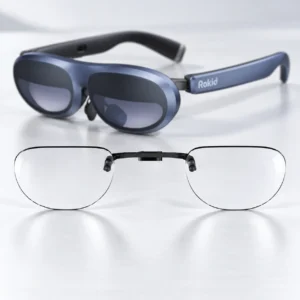
Find inserts for Rokid Max or Max 2
The Rokid listing in this category covers Rokid Max and Rokid Max 2. Confirm the full model name on your glasses, then open the Rokid Max and Max 2 lens inserts product page for the available options.
Other Rokid models are outside this listing’s stated compatibility. If your device name differs or you cannot identify it, ask Fovevia to confirm the model before choosing lenses.
Choose prescription or plano lenses
Select prescription lenses or plano (non-prescription) lenses in the product form. Review the selected lens type, applicable options and displayed total on the product page before ordering.
Prepare your prescription details
For prescription lenses, have a current eyeglass prescription with separate right-eye (OD) and left-eye (OS) values. Preserve every plus or minus sign, provide AXIS when that eye has nonzero CYL, and follow the product’s PD instructions. Use the Prescription Guide to check the field meanings.
If your values are unavailable in the product options or you are unsure how to enter them, email support@fovevia.com before ordering.