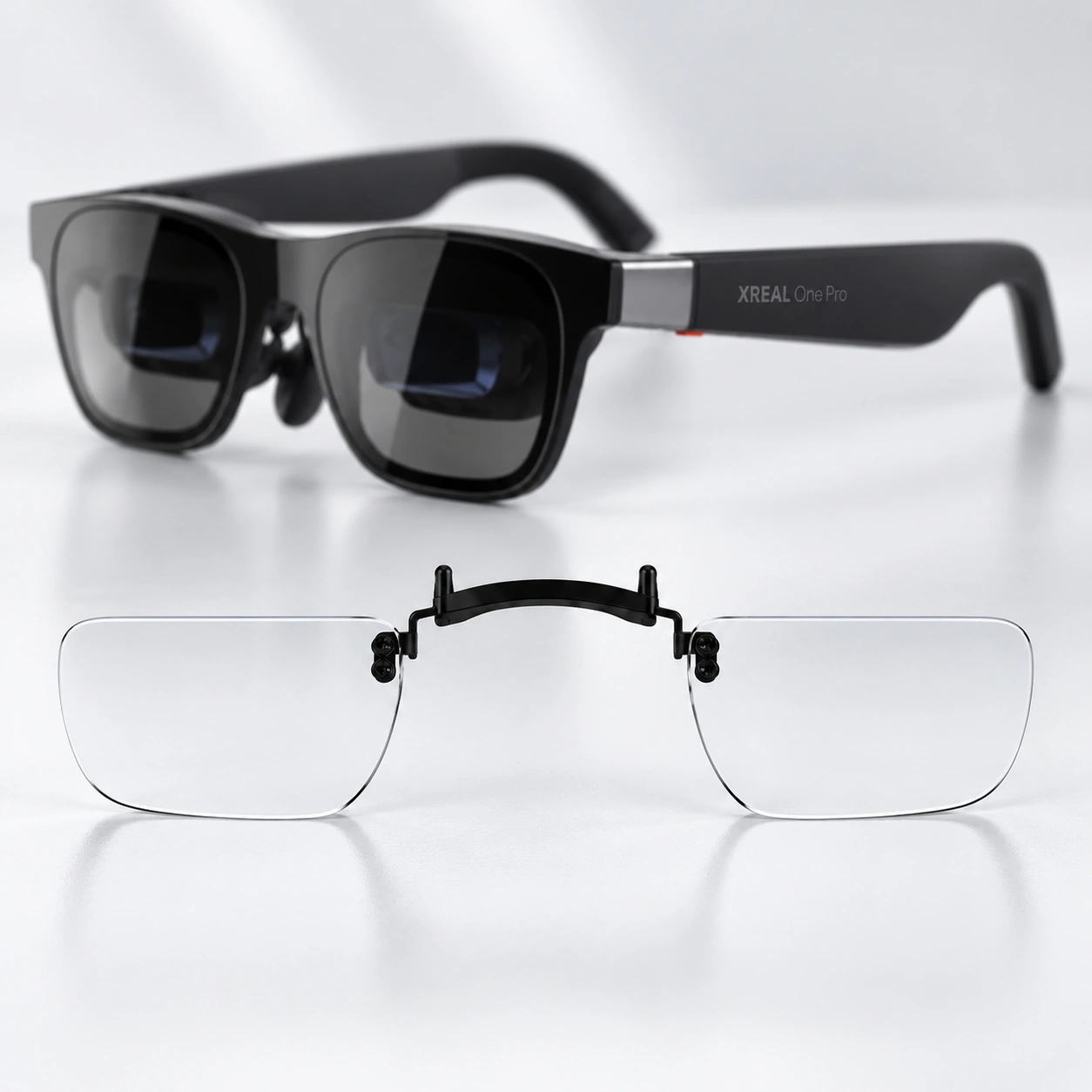
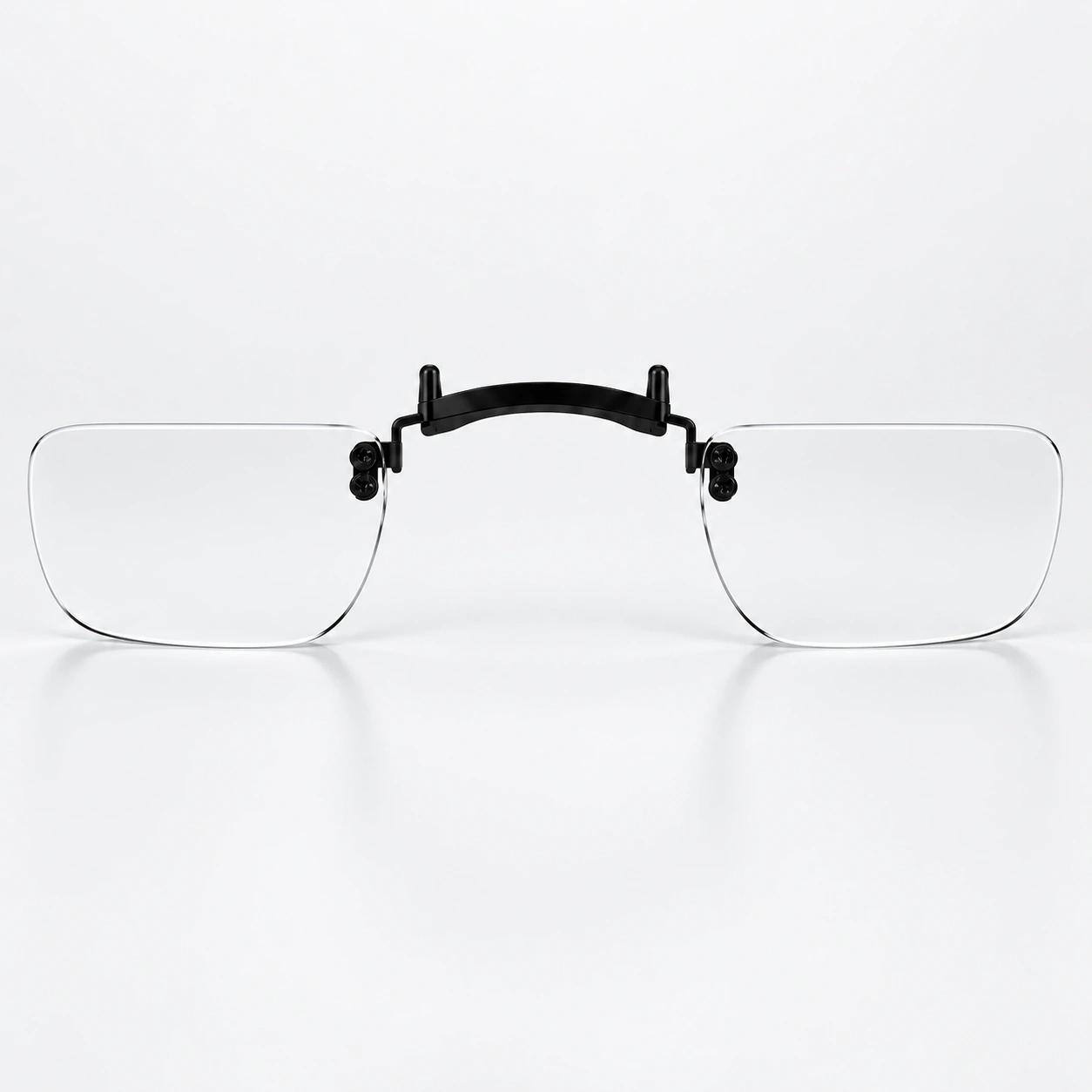


Prescription lens inserts for XREAL One Pro and XREAL 1 Pro+
These made-to-order inserts fit XREAL One Pro and XREAL 1 Pro+. Both models use the same Fovevia lens inserts. Choose prescription correction or plano lenses, then enter your prescription if needed.
Compatible with One Pro and 1 Pro+
Check that your glasses are XREAL One Pro or XREAL 1 Pro+ before ordering. XREAL One and XREAL 1S have a separate product page. Air-series models also use separate listings. Match the full model name through the XREAL device collection rather than assuming the insert for another model will fit.
Need help matching your glasses? Read the XREAL prescription lens insert model guide.
What is in the package?
- One pair of lens inserts
- One lens cloth
- One storage case
Lens design and frame
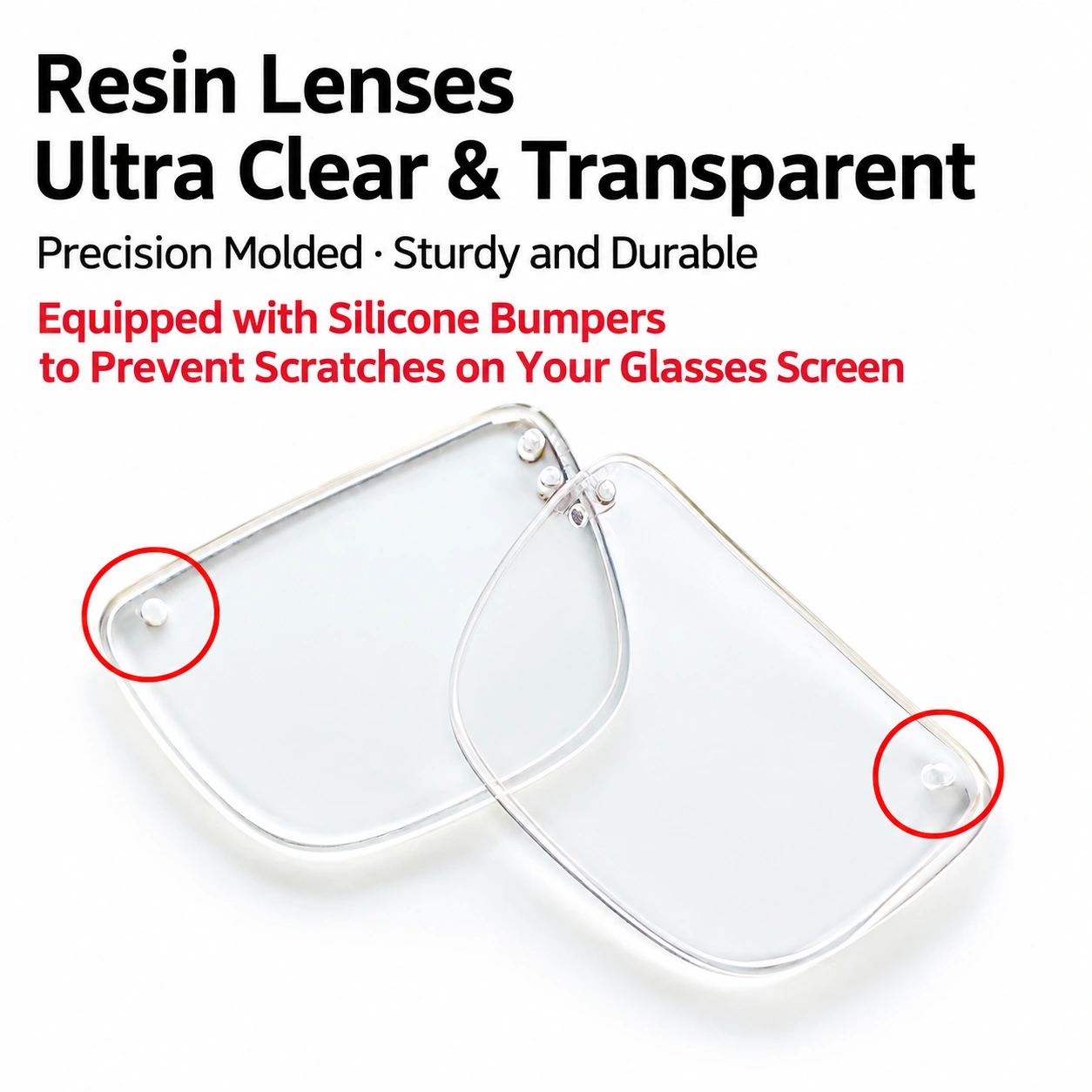
These inserts use aspheric resin lenses. Materials for a custom prescription may vary; ask support@fovevia.com to confirm the material for your order if it affects your choice. The insert frames are molded using the corresponding real device.
Insert-in attachment
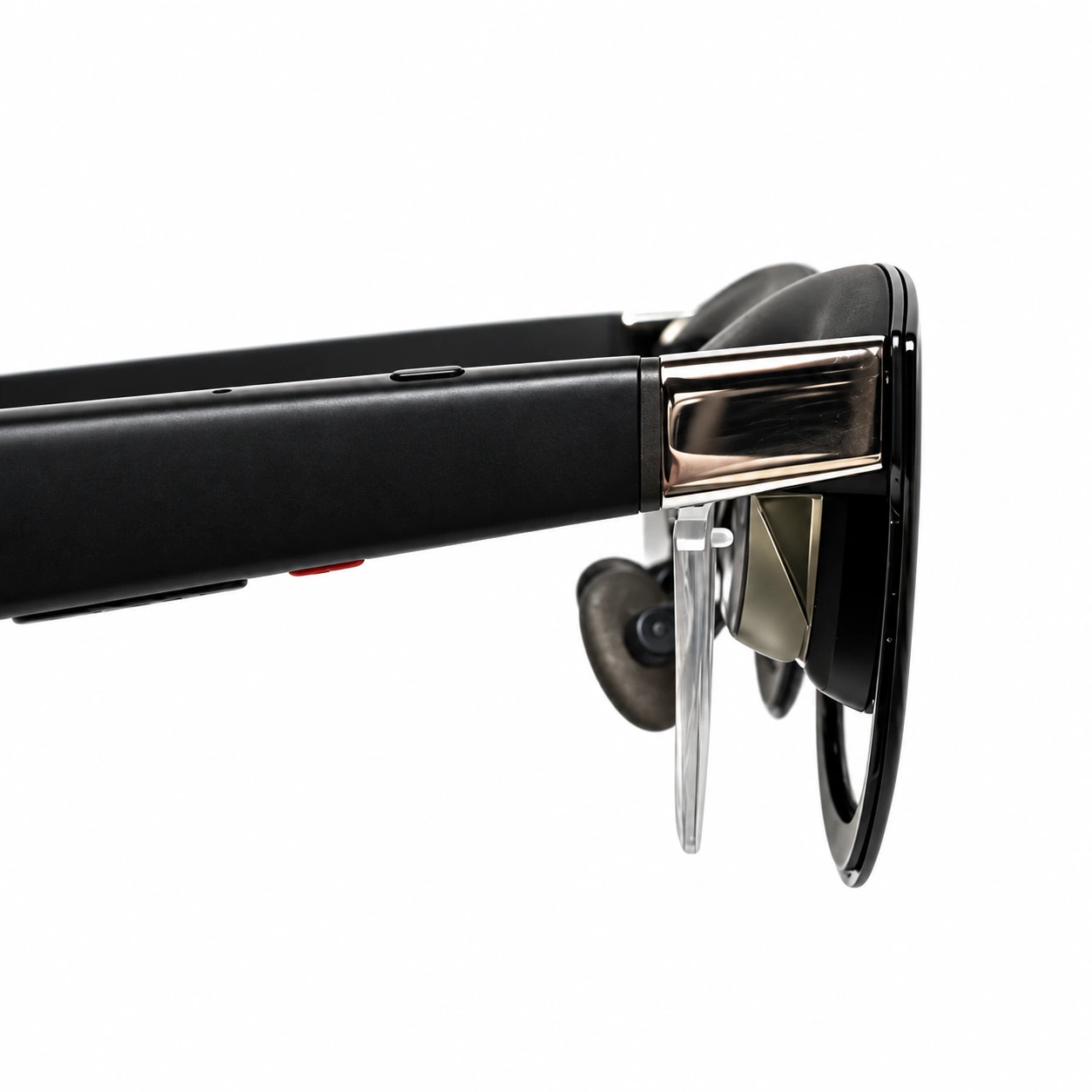
The XREAL insert uses an insert-in mounting arrangement at the bridge. Follow the model-specific alignment steps below and in the installation guide. Do not bend the mounting prongs or press on the clear lenses.
Choose prescription or plano lenses
| Option | What the current form offers |
|---|---|
| Prescription lenses | Choose this for corrective lenses made to your eyeglass prescription. |
| Plano lenses | No corrective power. The current option pricing deducts $25 from the prescription-lens price. |
| Blue-light filter | Optional at +$9.95. This option does not change your prescription power. |
| Anti-glare and scratch-resistant coatings | The current form lists these coatings as included. Scratch resistance does not mean scratch proof. |
Some SPH and CYL selections carry an additional charge for each eye. Enter both eyes and select any optional additions, then review the displayed total before ordering. Production and shipping are separate stages; see the delivery information below.
Enter the prescription for each eye
Prepare a current eyeglass prescription with separate right-eye (OD) and left-eye (OS) values. Copy each number and its plus or minus sign exactly as written. Do not round, convert or infer a missing value.
The current dropdowns list SPH −15.00 to +15.00 and CYL −8.00 to +8.00 for each eye. These are the values listed in the order form. If your prescription is outside the listed values, includes prism or other information not covered by the form, or needs clarification, contact support before ordering. AXIS is needed when the corresponding eye has nonzero CYL.
Pupillary distance (PD)
The form accepts one total PD value or separate right and left measurements. If your prescription does not include PD, ask your optometrist before ordering. Copy the measured values without guessing or dividing a total PD into two equal values.
The guide below identifies common prescription fields and illustrates how pupillary distance is measured.

If you are unsure how to enter your prescription, email support@fovevia.com before ordering. You can also visit our prescription and product support or ordering FAQ.
Installing your One Pro / 1 Pro+ lens inserts
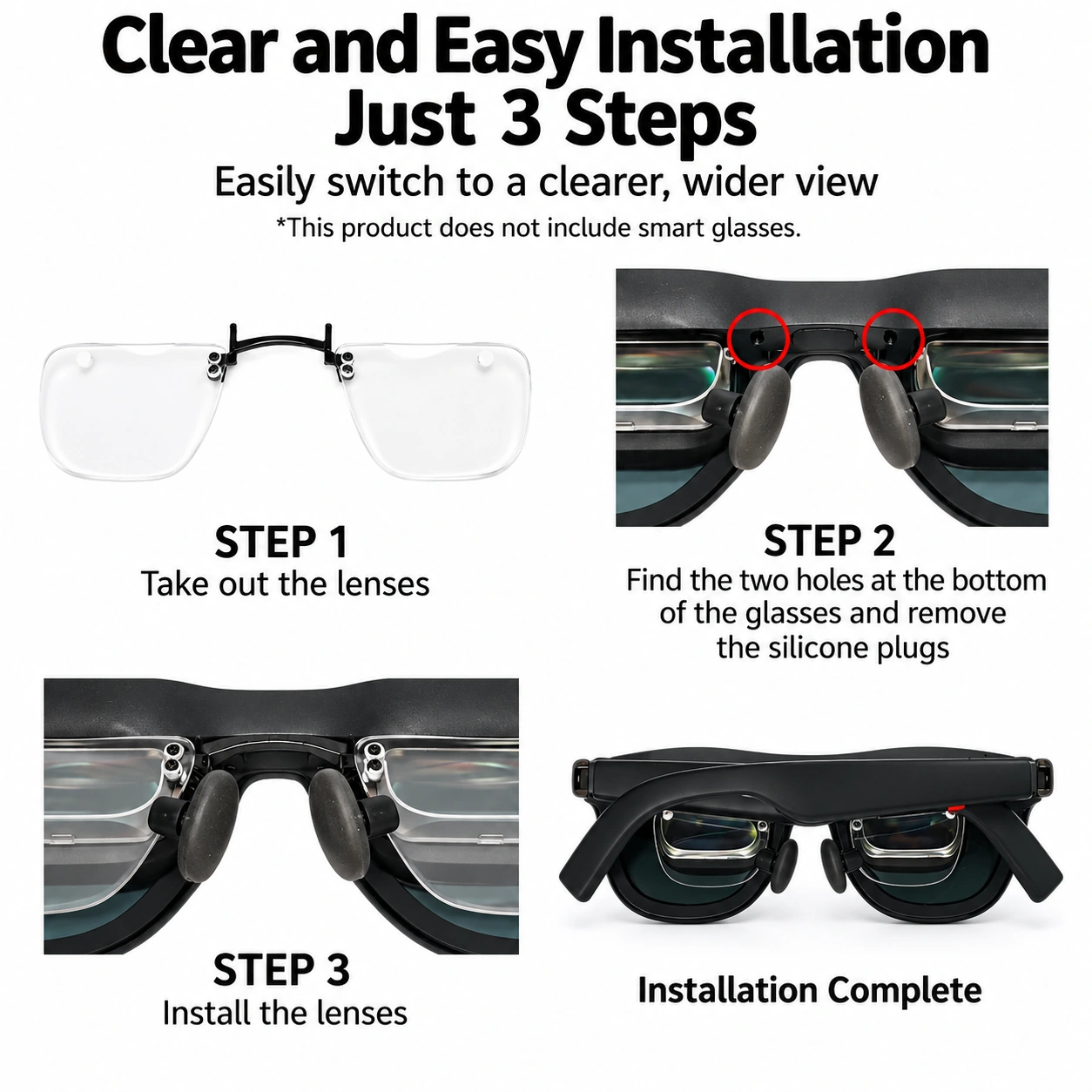
The same Fovevia insert fits XREAL One Pro and XREAL 1 Pro+. The illustration below shows installation on One Pro, with two mounting posts aligned to the holes beside the nose bridge. On either model, check the alignment before fitting the insert and stop if it does not seat without force.
- Take out the lens-insert assembly and hold it by the bridge or frame, keeping fingers off the optical surfaces.
- Locate the two mounting holes shown beside the nose bridge. The installation illustration shows removing the silicone plugs from those holes.
- Align the insert posts with the mounting holes and fit the assembly in the illustrated orientation. Stop if the posts do not align; do not force the part or press on a lens.
- Check that the insert is seated and the nose pads remain unobstructed before wearing the glasses.
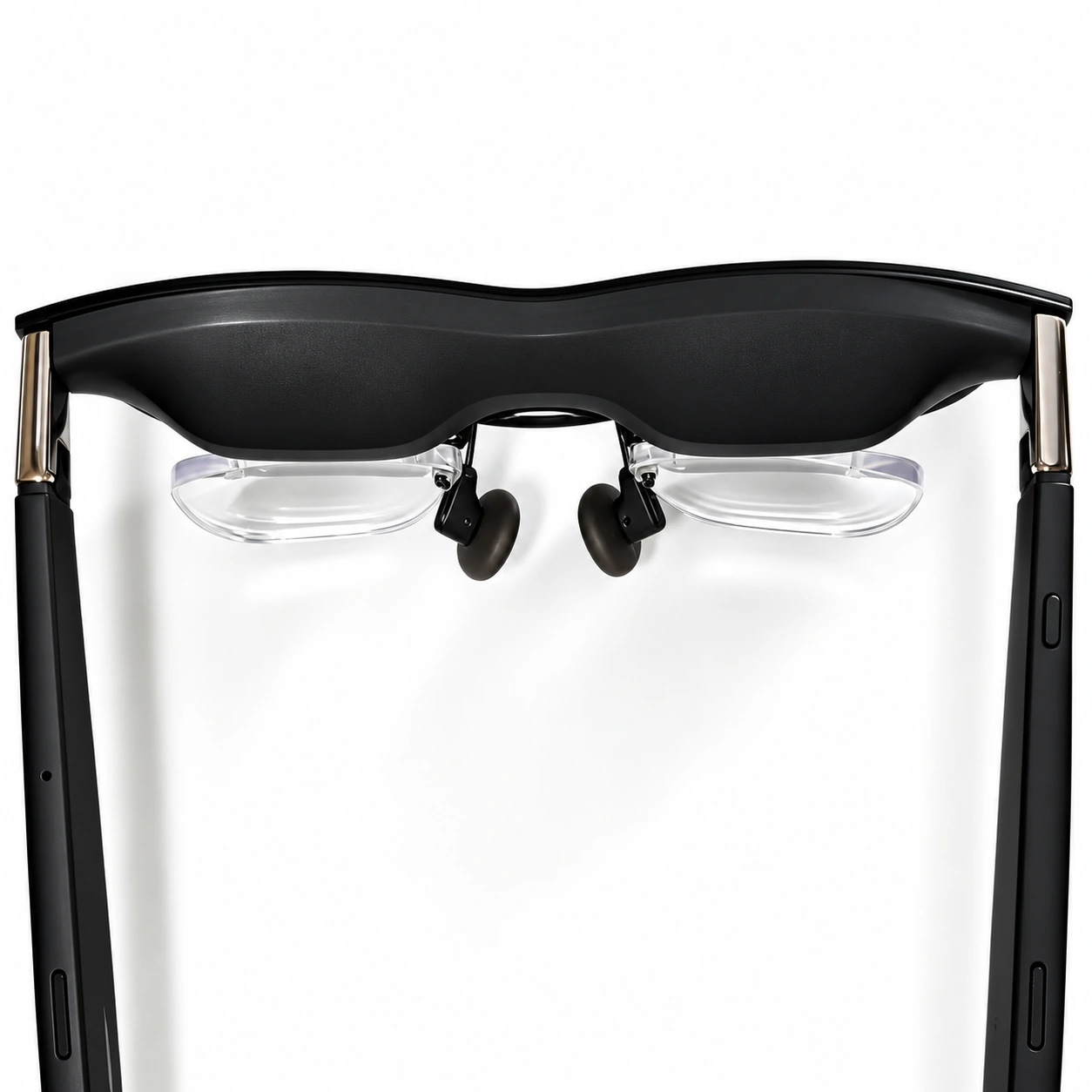
The gallery also shows small pads at the outer lens corners. Keep the supplied components in their intended positions and contact support if you are unsure how a part should sit.
For removal, handle the bridge or frame rather than pulling on the clear lenses. If you need instructions for your specific mounting parts, contact support with a photo before applying force.
For a blurry view, follow our XREAL One Pro IPD and fit checks before assuming prescription inserts will resolve the problem.
Production, shipping and order changes
Fovevia makes products to order. Production normally takes 1–4 business days before dispatch; shipping transit time is separate. Special or advanced custom orders require 3–7 business days for production. To request a cancellation or correction, email support@fovevia.com within 3 hours after your order confirmation. The email sent time determines whether the request falls within the published window.
Once production begins, a custom prescription lens cannot be cancelled or returned for a change of mind or an incorrect customer-entered prescription. Verified manufacturing errors, defects, transit damage and non-waivable legal rights follow the Returns & Refunds policy. See Shipping & Delivery for destination-specific transit estimates.
For non-prescription lenses, request a return within 14 calendar days after delivery. The lens must meet the published eligibility conditions, including being uninstalled, unused and unscratched, with packaging and accessories retained. See the Returns & Refunds policy before sending anything back.
Before ordering
- Confirm the full model name: XREAL One Pro or XREAL 1 Pro+.
- For XREAL One or XREAL 1S, use the separate One/1S product page.
- Check that the prescription values and signs for both eyes are readable, with AXIS for nonzero CYL.
- Provide measured PD as shown on your prescription, and ask your optometrist if it is missing.
- Choose the lens type, review optional additions and check the displayed total.
Frequently asked questions
Keep these instructions nearby: Prescription Guide · Installation & Care.


Reviews
There are no reviews yet.