XREAL can be a useful screen for films on a trip without becoming the display you want for a working day. Before buying, judge it by the task you cannot compromise on: following subtitles, checking a dense spreadsheet, or reading two documents together.
Bring tomorrow morning’s work into the buying decision. Enlarge the document, reach for the keyboard, switch windows and finish the small task you came to do. You may end up wanting the glasses for a film on the train while keeping a conventional screen for work. That is a useful outcome to discover before ordering.
| Your main use | Bring this to a demonstration | Decide whether you accept this compromise |
|---|---|---|
| Films and shows | A familiar scene with the subtitles you normally use | Can you follow the scene and every subtitle without repeatedly pausing? |
| Email and reading | A full message thread or ordinary document | Does enlarging the text leave a useful amount of the page visible? |
| Code or spreadsheets | Your usual editor layout or a representative workbook | Can you distinguish the characters, labels and values you rely on? |
| Two-window work | A document beside its reference material | Can you keep the necessary context while moving between them? |
A movie demo leaves out most of your work
Think of an evening film followed by a morning reconciling invoices. During the film, you might watch a face and glance at a subtitle. The invoice task asks you to compare a reference number, a date and a total, then find the corresponding row elsewhere. A readable number helps only if you can also locate the row it belongs to.
The disagreement appears in community discussions. A May 2026 question about Excel drew different answers about text-heavy work. A June account of using the 1S for coding described a positive portable setup. Those reports help identify tasks to try; they do not establish which experience you will have.
Subtitles deserve particular attention if they carry most of a film’s dialogue for you. A trailer with a few large titles is a poor substitute for the programme you intend to watch. For text-heavy games, include an inventory, quest log or dialogue menu rather than judging only the action.
Bring one piece of real work to the demonstration
Use a document you understand well enough to notice a missed detail. Edit a paragraph, find an entry, compare two values and move back to the place where you started. Notice where the sequence slows down: finding the next line, keeping your place, or returning to the reference window.
You may be willing to use larger text. The useful question is how much work remains visible afterwards. Enlarging a workbook until each number is readable can still leave too few columns on screen for the comparison you need. For email, the same change may be an acceptable trade.
Windows provides separate controls for text size and overall display scaling, as Microsoft’s accessibility instructions explain. Try the adjustment your actual application supports and repeat the task. Record the resulting layout, rather than treating the largest readable font as a successful work setup.
Then perform an ordinary transition: check the keyboard, glance at your phone if the task needs it, or switch to a video call. Do this in a safe, stationary setting. Include those interruptions in your verdict, especially if you spend the day moving between devices.
Check the laptop workflow before paying for a wider screen
A wide virtual desktop is appealing when you want a spreadsheet beside a reference document. Confirm that your source device can produce the layout you expect. XREAL’s One-series UltraWide documentation warns that some devices do not output the selected aspect ratio; it also advises using an extended display because mirroring can retain the main screen’s ratio.
That makes the connection part of the purchase decision. Bring the laptop or phone you will use, with the intended cable or adapter. Ask to see your desired layout on that combination. A different computer may hide a limitation that matters on your work machine, such as the required output or permission to install software.
If a special app is central to the plan, establish that you can install and use it on the machine concerned. For an employer-managed laptop, obtain that answer before making an accessory purchase depend on it. Keep a fallback display available until you know the setup supports the work you need to finish.
Keep the prescription decision separate
If you need vision correction, arrange a suitable demonstration with that need accounted for. XREAL’s One-series FAQ recommends compatible prescription lenses for nearsighted users. Buying an insert still requires the exact glasses model and the prescription requested by its supplier.
Use our XREAL insert model comparison for that match. For an unresolved view on glasses you already own, use the One Pro fit and blurry-edge checks or the Air 2 Pro fit and blurry-text checks, according to your exact model. Do not turn a purchasing comparison into a reason to change your prescription values.
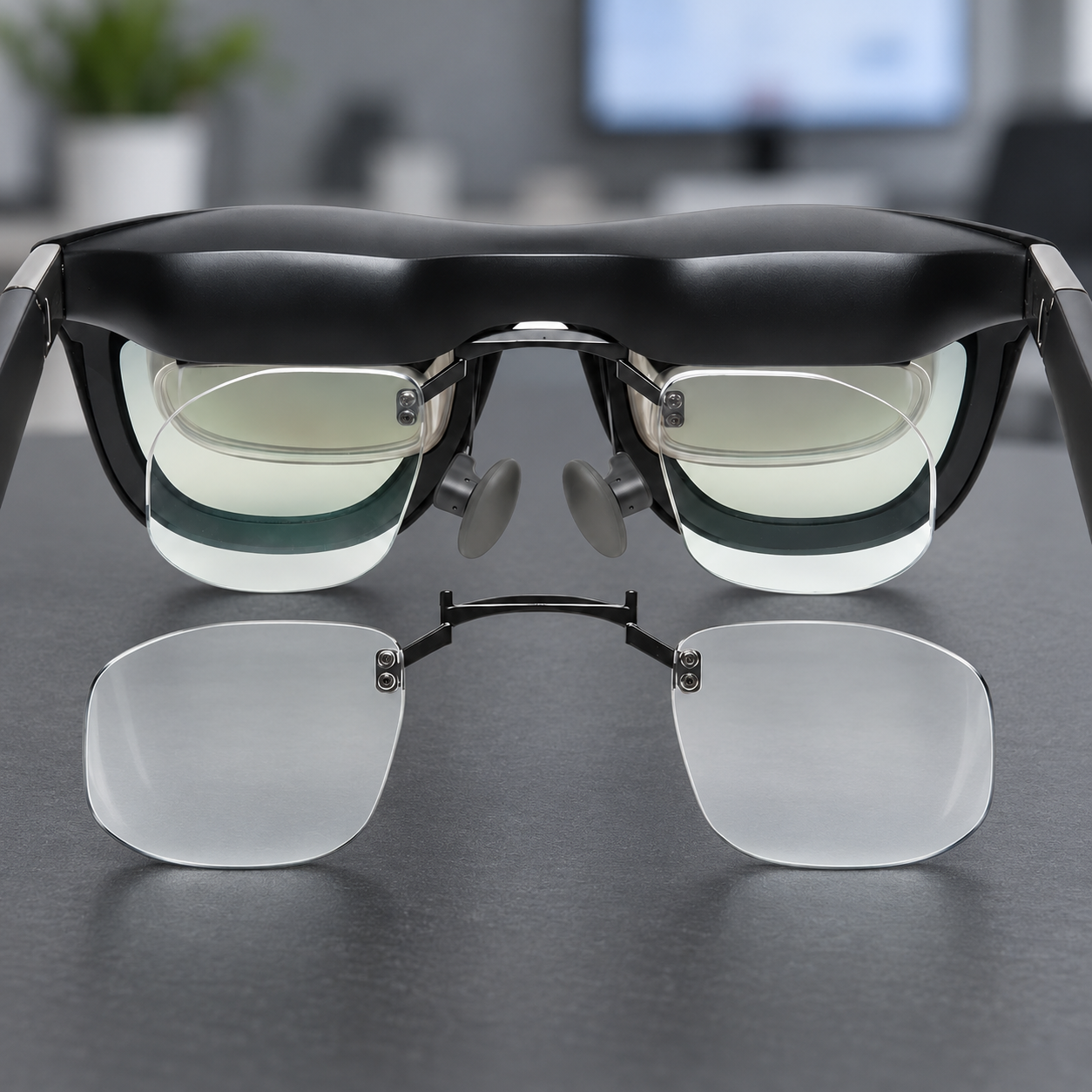
Fovevia has separate listings for One/1S inserts and One Pro inserts. Review the matching offer after checking whether the display suits your tasks. For a different model, browse the current XREAL range before choosing an insert. Prescription correction does not confirm a preferred desktop layout, app compatibility or the amount of work you can see at once.
Give the glasses two verdicts
| What your trial shows | A reasonable purchase decision |
|---|---|
| Films and subtitles work; dense work remains awkward | Consider an entertainment screen, with the laptop or monitor retained for work. |
| One enlarged work window is useful; side-by-side work is not | Consider occasional work use only if that reduced layout serves your tasks. |
| Your ordinary tasks and device combination work as intended | Evaluate the glasses as a portable option, including the required correction and accessories. |
| A usable view or reliable connection remains unresolved | Resolve that issue before adding custom lenses to the purchase. |
Keep a short note of the device used, the task completed, the layout you accepted and what still required another screen. Keep that note beside the total cost of the glasses, correction and necessary accessories. It tells you which purchase you are making. For the next device or prescription question, the published Fovevia articles and guides provide the relevant starting points.