If you do not need prescription correction, it can be hard to tell which Quest 3 protection accessories are worth considering. A clear framed insert, an adhesive film and an opaque cover may all appear under “lens protector,” yet they serve different purposes.
Start with when you want protection. Plano inserts are transparent lenses used while viewing. An adhesive film attaches to the surface specified by its maker. An opaque storage cover goes over the lens area between sessions and comes off before use. You do not have to buy all three. First identify the surface and the handling problem you want to address.
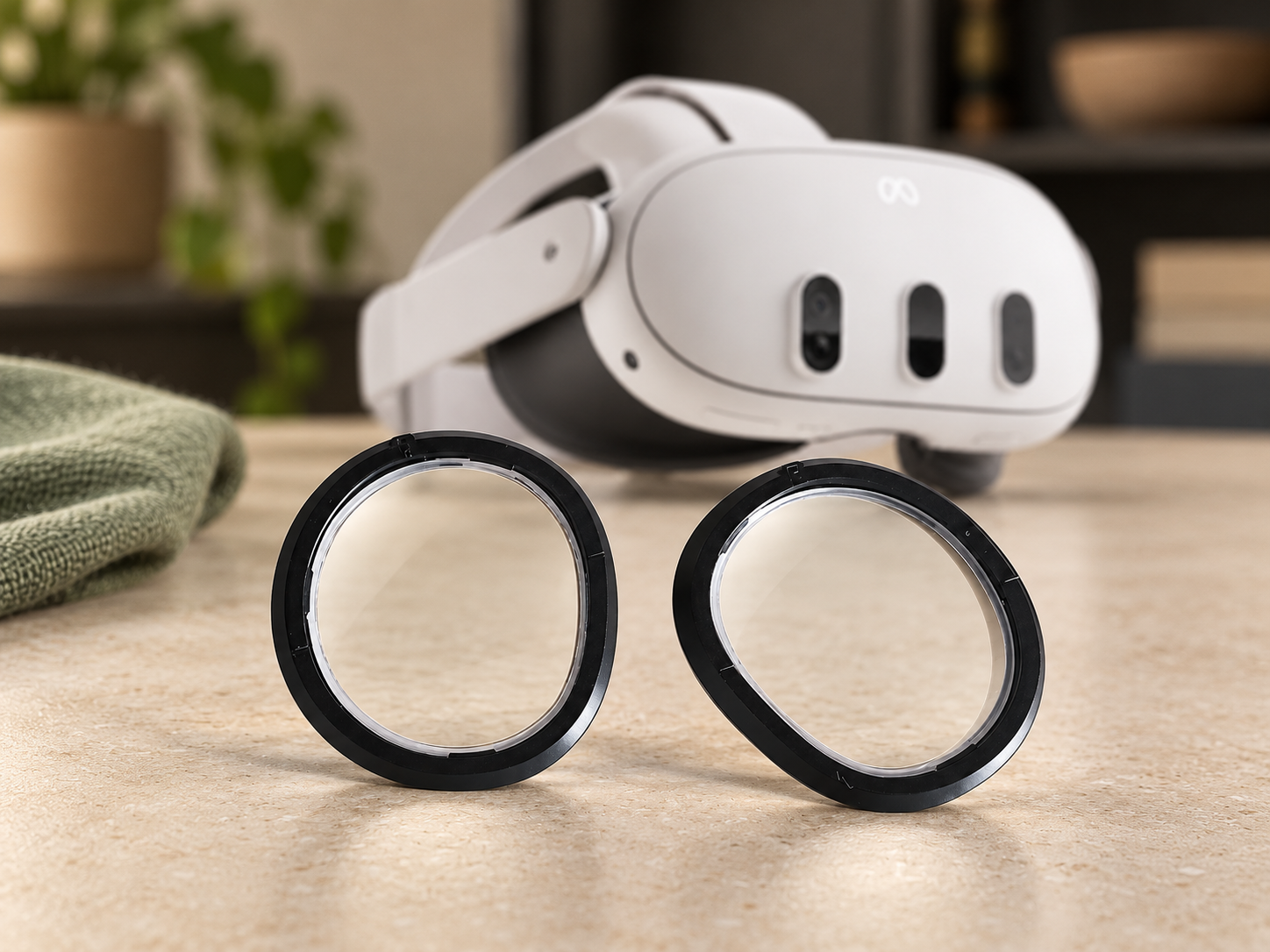
First, check which lenses the listing means
Quest 3 has viewing lenses inside the headset and cameras on the outside. A protector advertised for a camera does not establish suitability for the lenses you look through. Check the product photographs, the named surface and the exact headset model; Quest 3 and Quest 3S are different devices.
The confusion appears in a Quest owner’s protection question: the pictured accessories and discussion range from exterior protection to inserts for someone who does not need prescription lenses. The practical first question is simply, “Which part am I trying to cover?”
| Accessory | When it is present | What to establish before buying |
|---|---|---|
| Clear framed Plano inserts | During viewing | Exact headset fit, supplied mounting parts and clearance |
| Adhesive film | On its specified surface after application | Whether it is for the inner viewing lenses or exterior cameras, plus attachment and removal instructions |
| Opaque storage cover | While the headset is not in use | Correct model and how it sits without pressing on the optics |
Plano describes lens power; fit still matters
Plano lenses have no corrective power. A framed pair adds a removable transparent surface in front of the headset’s original viewing lenses. This is the category to consider if you want an additional surface there during use without adding prescription correction.
On Fovevia’s Quest 3 insert listing, Plano lenses is a separate Type choice. Use that choice rather than inventing prescription values. The listing describes magnetic attachment and includes a left-and-right pair, a cleaning cloth and a storage case.
Check the assembled fit with your own face interface. Look for contact with your eyelashes, nose or other accessories, and check the visible image after normal headset adjustment. “No corrective power” does not establish identical reflections, clearance or field of view for every setup. Scratch-resistant coatings also do not make an insert scratch-proof.
If a new face interface introduces contact, follow the face-interface clearance checks rather than pressing the parts together. If you need vision correction, start with the glasses-versus-prescription-inserts decision. A Plano pair cannot supply missing correction.
With a film, resolve the adhesive questions first
A film is a different purchase because it attaches directly to its intended surface. Before considering one for the inner viewing lenses, obtain instructions for that exact use. A thin product photograph or a “HD” label does not answer whether its adhesive and removal method are suitable for Quest 3 optics.
Ask the supplier three specific questions:
- Is this film intended for the inner viewing lenses of Quest 3, or only for its exterior cameras?
- What attachment and removal method does its maker specify for that surface?
- Does the process require liquid, solvent, heat or scraping, and what device-manufacturer guidance supports it?
Meta’s Quest 3 care guidance calls for a dry microfiber cloth on the lenses and warns against cleaning liquids there. Do not borrow a phone-screen application method for a headset lens. If the surface or procedure remains unclear, leave the film unapplied while you get clarification.
Nor does “thin” establish that a film will leave the image or field of view unchanged. A forum recommendation is not a comparison test of your particular film, headset and fit.
A storage cover works between sessions
An opaque cover is an option for the time between sessions, when the headset is off and put away. It is removed before viewing, so it cannot serve as a transparent protective layer during a session.
Fovevia’s Quest 2 / Quest 3 / Quest 3S lens protector is this opaque-cover type. Its name does not mean it is a clear Plano insert. If you already have framed inserts, confirm how the intended cover fits your assembled setup; do not assume it can sit over every insert without contact.
Meta also says to keep Quest 3 out of direct sunlight. A cover is not a reason to leave the headset on a sunny windowsill. Choose a storage position away from direct sun and avoid pressure on the optical area. No accessory here is a sunlight-damage guarantee.
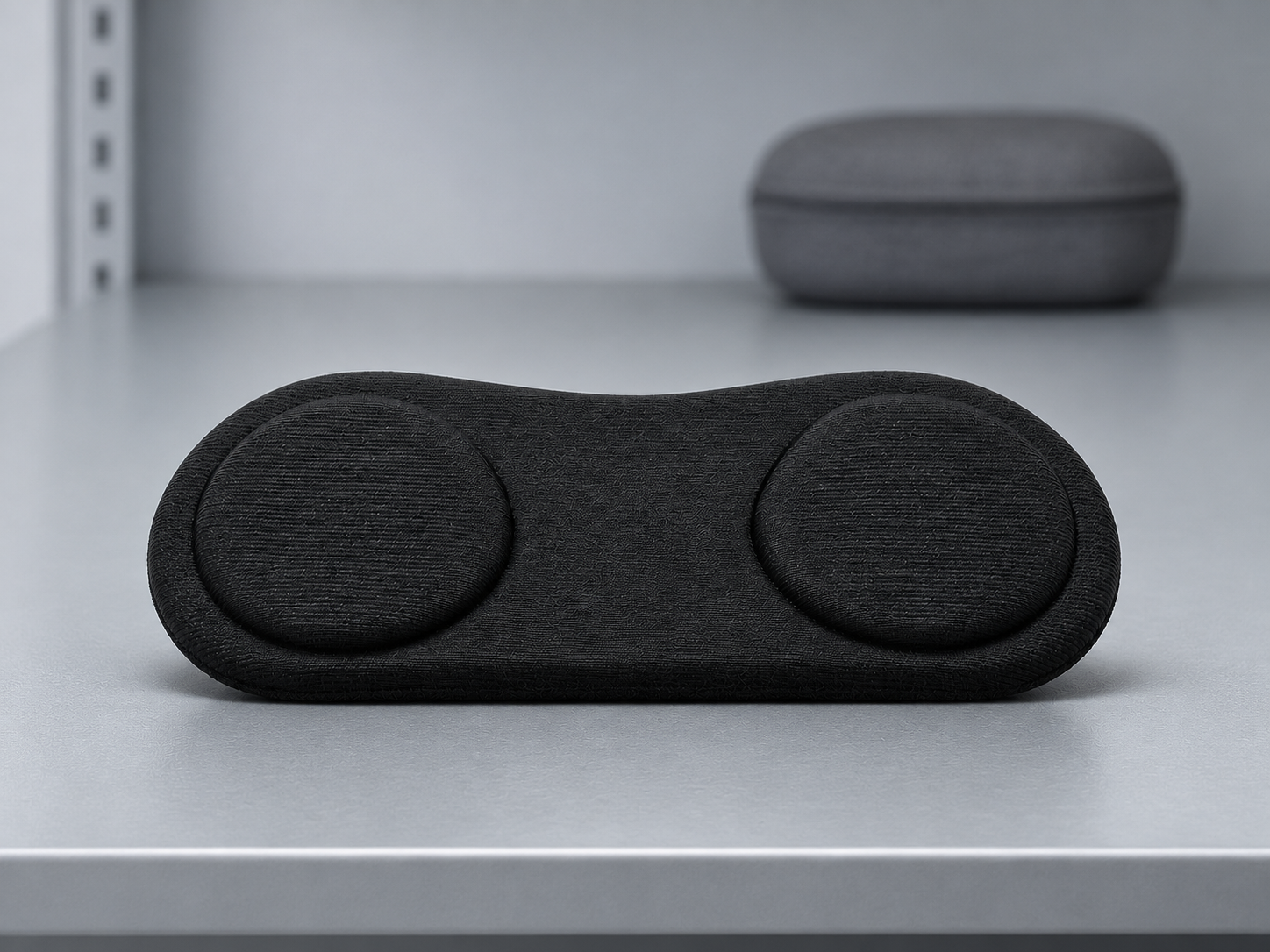
Choose the smallest change that serves your routine
For a headset that is put away after each session, with no need for an added viewing surface, an idle cover may address the actual concern. Check where the headset is stored and what could contact its lenses before adding more optics.
For someone who specifically wants a removable transparent layer during viewing, a model-matched Plano pair is the relevant category. Consider the mounting parts and clearance together, including any face interface you already use. It remains a choice about your routine, rather than an essential purchase for every owner.
If you already use prescription inserts, check what is currently in front of the original headset lenses before buying another transparent layer. Do not assume Plano and prescription frames can be stacked. A separate storage-cover question can still be relevant, subject to the cover’s fit.
Before paying, be able to finish these three sentences:
- I am covering: the inner viewing lenses or the exterior cameras.
- I need it present: while viewing or only while storing the headset.
- I have confirmed: the exact model, included parts and the relevant fit or adhesive instructions.
Keep the procedures with the matching product instructions and Installation & Care. For other device-specific choices, see Guides. If your existing handling and storage routine already meets your needs, buying no additional protector is also a reasonable outcome.